
curl https://api.anessa.co/v1/accounts \
  -H "Authorization: Bearer $TOKEN"
Editor note (hidden on the live site): paste code in the Code field on the right and set the card header in Code Title / Code Meta (leave both empty to hide it). Lines starting with // are comments; a quoted line that isn't a key (a chat question or answer) shows as text. Colours and line numbers only appear on the published page.
You can't sell what you can't see
Without visibility into customers' existing policies, switching gets complicated and cross-selling relies on guesswork. Customers fill in forms by hand, and sales teams miss the opportunities.
Anessa shows you existing policies, coverage and premiums, so you can remove friction from the sales journey and sell more.
From current policy to your offer
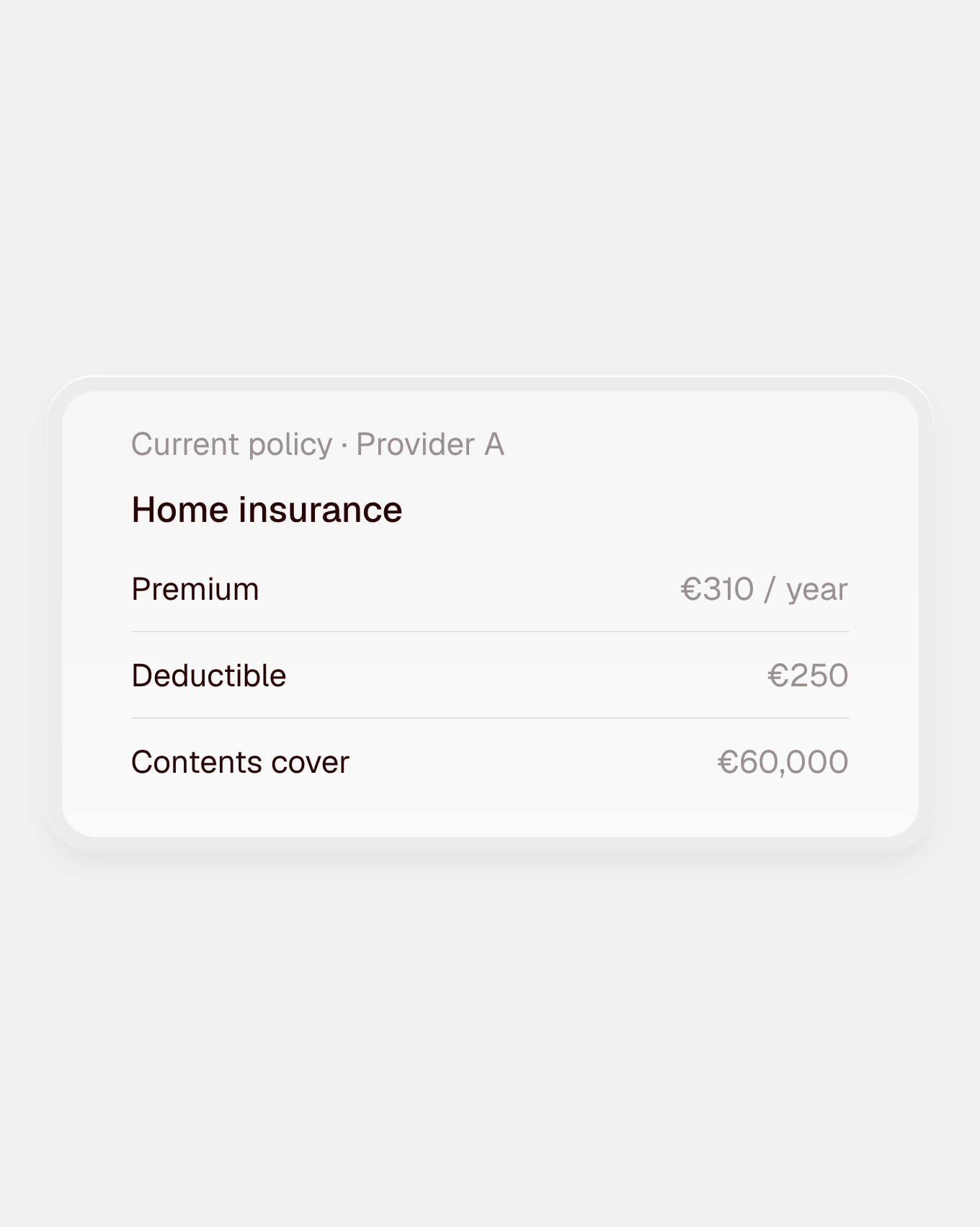
See what they have
Current policies, coverage, deductibles and premiums, without long questionnaires.
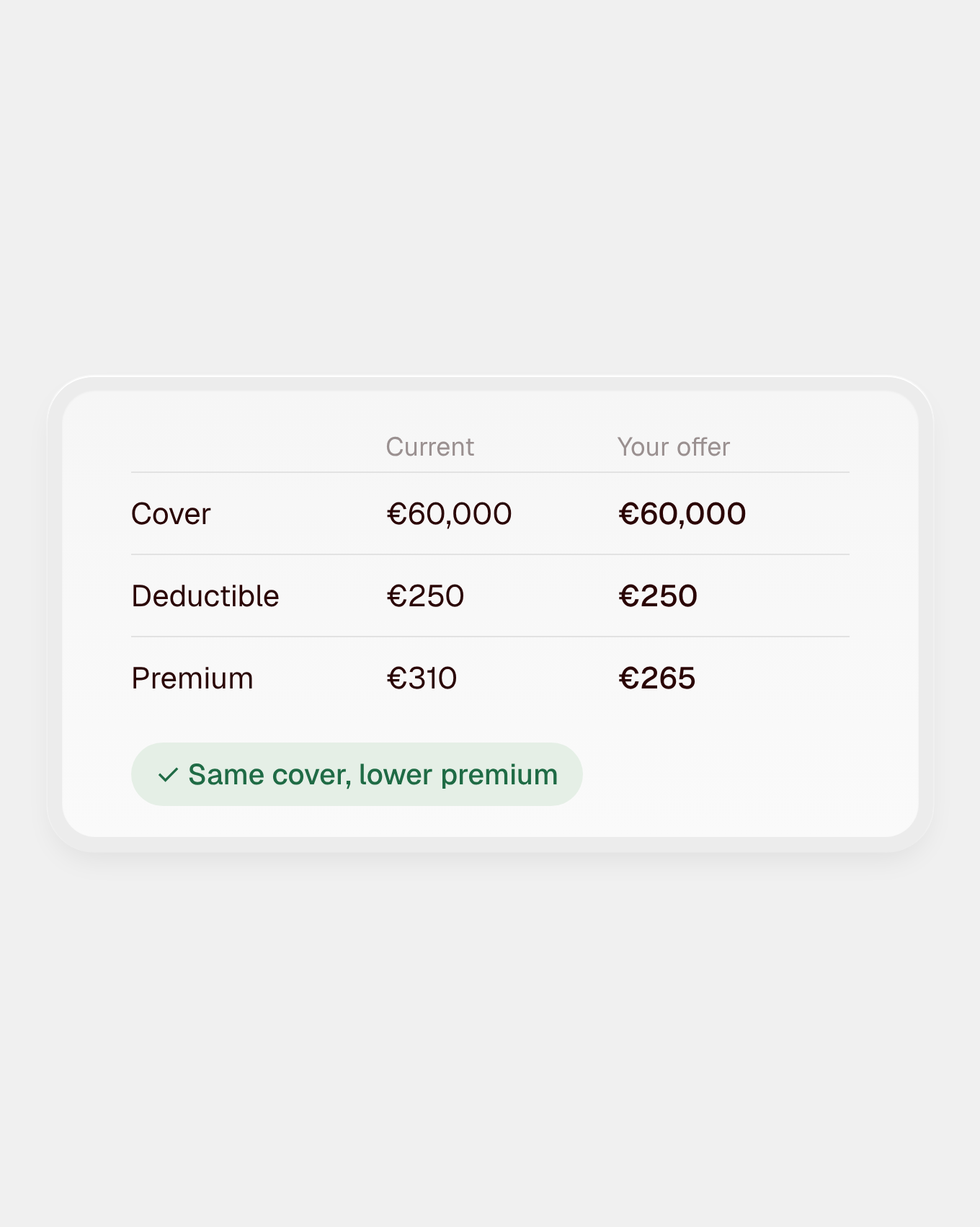
Compare on cover, not just price
Match your offer to their actual coverage and pre-fill the application.
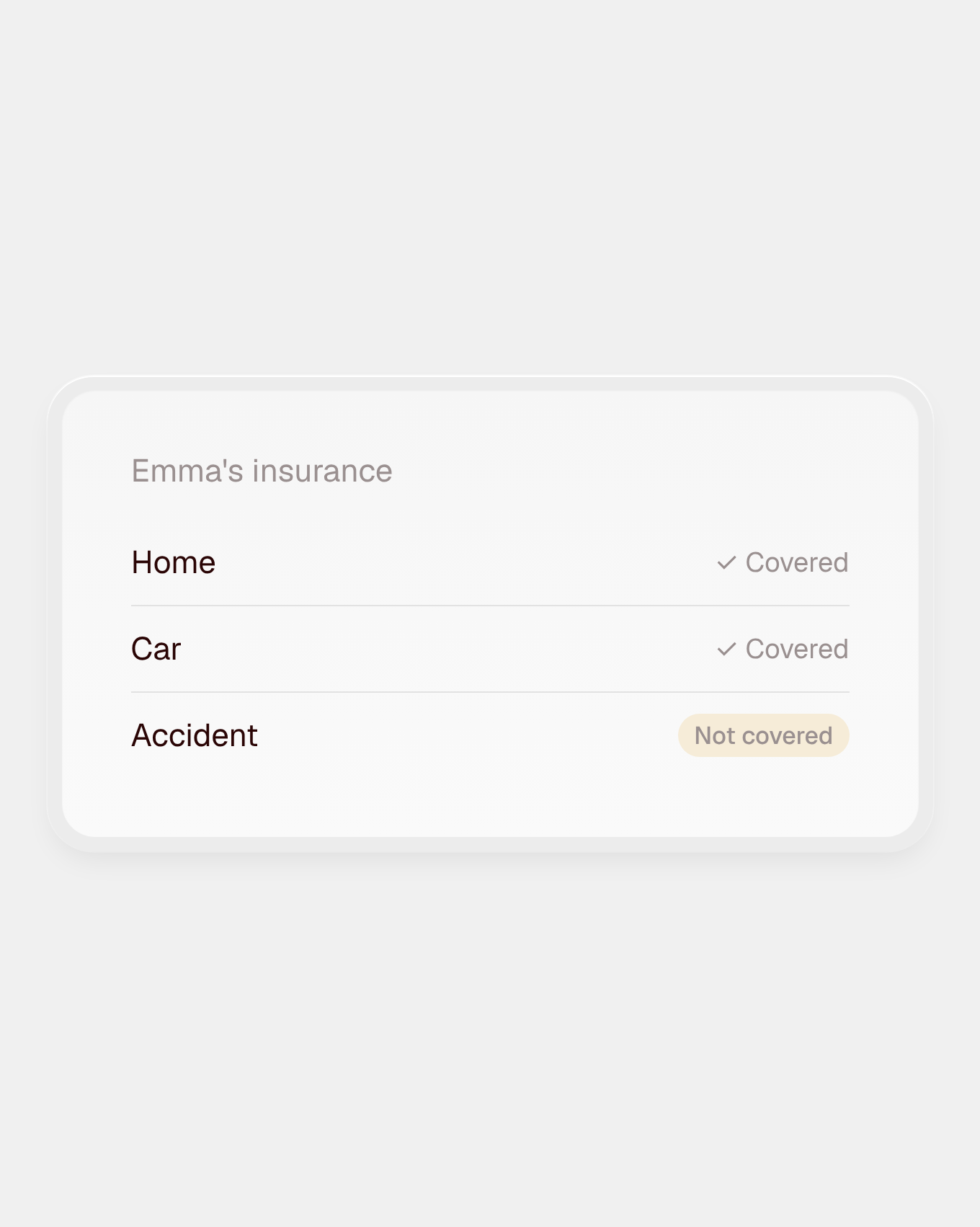
Find what's missing
Spot gaps in their coverage and offer what they actually need.
curl https://api.anessa.co/v1/accounts \
  -H "Authorization: Bearer $TOKEN"
Editor note (hidden on the live site): paste code in the Code field on the right and set the card header in Code Title / Code Meta (leave both empty to hide it). Lines starting with // are comments; a quoted line that isn't a key (a chat question or answer) shows as text. Colours and line numbers only appear on the published page.
Online, with advisors, or in your own system
Build a digital switching journey where customers share their current policies themselves, with Anessa Connect and the Financial data API.
Give your advisors and sales team the same data in Advisor Access, with nothing to build. Or bring it straight into the sales or advisory system you already use, through the API.
FAQ
Do we get terms or just price?
Both. Each coverage parameter comes back with its limit and deductible, alongside the premium. That lets you compare your offer with the customer’s current policy like for like, and show where yours gives better cover, not just a lower price.
How much of our quoting form can this pre-fill?
It depends on your form and the customer’s insurer. Every field that comes back from their current policy can pre-fill your quote, so the customer only fills in what’s missing. Less typing means fewer drop-outs and more accurate quotes.
What if a field cannot be collected?
It’s flagged, and the customer fills it in themselves, so the journey carries on instead of failing. Everything else stays pre-filled.
Which lines do you cover?
Property and casualty insurance, including vehicle, home, personal, animal and income insurance. Available lines vary by market, so check the catalogue for the exact list per market.
Is it secure and consented?
Yes. Nothing is collected until the customer has given their consent and authorised Anessa’s assisted access to their financial service provider. Anessa uses the customer’s credentials only to carry out the data collection and discards them immediately afterwards. They are never shared and never reach your systems. All data is encrypted in transit and at rest and stored in the EU, and Anessa is ISO 27001 certified.